

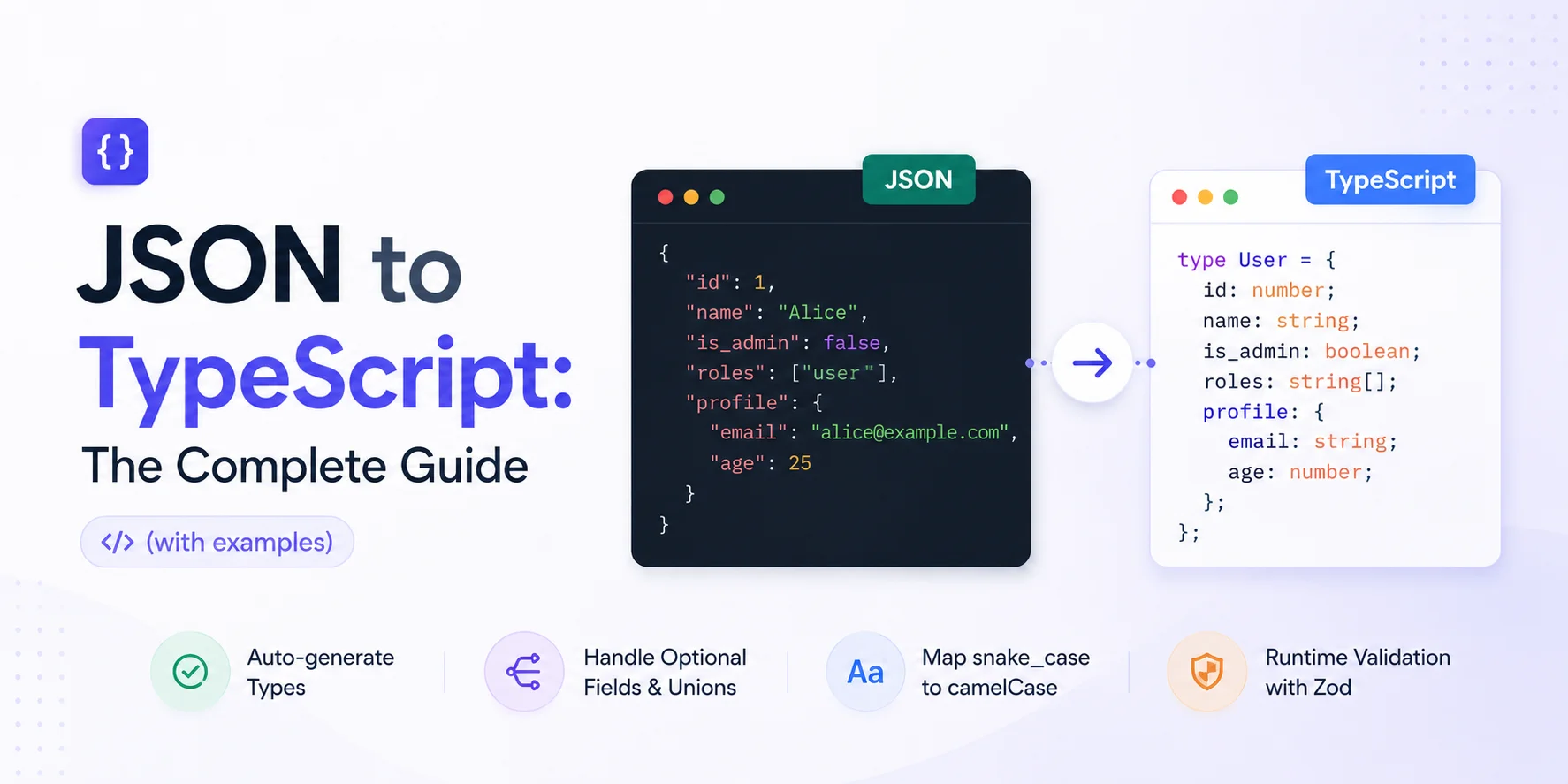
JSON to TypeScript: The Complete Guide (with examples)
Auto-generate TypeScript types from JSON, then refine them. Real-world traps with optional fields, discriminated unions, snake_case mapping, and runtime validation with Zod.

Mohammed Banani
0
Claps
JSON to TypeScript: The Complete Guide (with examples)
Auto-generation is a starting point, not a finish line. Paste your JSON into a converter, get a type back in thirty seconds, then spend the next ten minutes making it accurate. That gap — between what the generator produces and what your codebase actually needs — is what this guide covers.
The reason generators fall short isn't that they're poorly built. It's that a JSON sample is a snapshot, not a contract. A single API response tells you what fields were present at one moment, not which fields are always present, which are sometimes null, which can hold multiple shapes, or which carry semantic meaning your type system should enforce.
The Naive Approach: Hand-rolling Interfaces
When you first hit a JSON API response, the instinct is to write the interface yourself. You look at the payload, open a .ts file, and start typing:
interface User {
  id: number;
  login: string;
  avatar_url: string;
  public_repos: number;
  followers: number;
}
Five fields. Takes forty seconds. Feels fine.
Then the payload grows. The GitHub Users API actually returns something closer to thirty fields. Add nested objects — plan, permissions, repository objects — and suddenly you're hand-typing a hundred lines. Every time the API gains a field, your interface drifts. Six months later you have a // TODO: check if this is still accurate comment on line 1 and no one remembers what the actual contract is.
Hand-rolling works for small, stable payloads you control. For anything else — third-party APIs, SDKs, backend responses that other teams own — it doesn't scale, and the drift compounds.
Auto-generation in 30 Seconds
Take a real API response. Here's a trimmed GitHub user object:
{
  "id": 1,
  "login": "octocat",
  "avatar_url": "https://github.com/images/error/octocat_happy.gif",
  "gravatar_id": "",
  "url": "https://api.github.com/users/octocat",
  "html_url": "https://github.com/octocat",
  "public_repos": 2,
  "public_gists": 1,
  "followers": 20,
  "following": 0,
  "created_at": "2008-01-14T04:33:35Z",
  "updated_at": "2008-01-14T04:33:35Z",
  "bio": null,
  "company": "@github",
  "blog": "https://github.com/blog",
  "location": "San Francisco, CA",
  "email": null,
  "hireable": null,
  "twitter_username": null,
  "site_admin": false,
  "type": "User"
}
Paste that into consolelog.tools/tools/json-to-typescript and you get back something like this in under a second:
interface RootObject {
  id: number;
  login: string;
  avatar_url: string;
  gravatar_id: string;
  url: string;
  html_url: string;
  public_repos: number;
  public_gists: number;
  followers: number;
  following: number;
  created_at: string;
  updated_at: string;
  bio: null;
  company: string;
  blog: string;
  location: string;
  email: null;
  hireable: null;
  twitter_username: null;
  site_admin: boolean;
  type: string;
}
That's useful scaffolding. It's also wrong in several ways that will cause real problems in production. Let's work through them.
The Problems with Naive Auto-generation
Optional vs Required Fields
Look at bio, email, hireable, and twitter_username above. All four came back as null in this particular response, so the generator typed them as null — a literal null, not string | null. On a different user, bio might be "Software engineer". The generator had no way to know that because it only saw one sample.
The inverse problem is equally dangerous. The generator marks every field that appeared in your sample as required. But twitter_username is an optional field on GitHub's side — some users never set it. Your generated type has no ? modifier on it, so TypeScript won't remind you to handle the case where it's absent.
The rule: treat every nullable field from an external API as T | null, and treat every field you haven't explicitly verified as required as potentially T | undefined. Default toward optionality for third-party data.
Union Types from Mixed Arrays
Consider an activity feed response where items have different shapes:
{
  "items": [
    { "type": "image", "url": "https://cdn.example.com/photo.jpg", "width": 1200 },
    { "type": "video", "url": "https://cdn.example.com/clip.mp4", "duration": 45 },
    { "type": "text", "content": "Hello world" }
  ]
}
Most generators will union all properties into one flat interface:
// What generators produce
interface Item {
  type: string;
  url?: string;
  width?: number;
  duration?: number;
  content?: string;
}
That's technically accurate for the sample, but it throws away the discriminated structure. width doesn't make sense on a video item; duration doesn't exist on an image. The generator can't infer that type is the discriminant.
What you actually want:
interface ImageItem {
  type: "image";
  url: string;
  width: number;
}

interface VideoItem {
  type: "video";
  url: string;
  duration: number;
}

interface TextItem {
  type: "text";
  content: string;
}

type FeedItem = ImageItem | VideoItem | TextItem;
Now TypeScript narrows correctly inside a switch (item.type) block. No generator produces this automatically from sample data — you have to write it by hand once you understand the domain.
Snake Case vs Camel Case
APIs routinely return created_at, first_name, public_repos. Your TypeScript code uses createdAt, firstName, publicRepos. There are two ways to handle this, and the tradeoff matters.
Option A: Keep snake_case in the type, transform at the boundary
// Type matches the wire format exactly
interface GitHubUser {
  created_at: string;
  public_repos: number;
  avatar_url: string;
}

// Transform once at the API call site
function toAppUser(raw: GitHubUser): AppUser {
  return {
    createdAt: raw.created_at,
    publicRepos: raw.public_repos,
    avatarUrl: raw.avatar_url,
  };
}
The advantage: your type mirrors the actual JSON, so if something breaks at the boundary you know exactly where to look. The cost: you need two type definitions.
Option B: Use a mapped type to remap keys
type CamelCase<S extends string> =
  S extends `${infer Head}_${infer Tail}`
    ? `${Head}${Capitalize<CamelCase<Tail>>}`
    : S;

type KeysToCamelCase<T> = {
  [K in keyof T as CamelCase<string & K>]: T[K] extends object
    ? KeysToCamelCase<T[K]>
    : T[K];
};

type AppUser = KeysToCamelCase<GitHubUser>;
This is clever, but it adds type-level complexity that confuses junior contributors and can produce odd behavior with deeply nested objects or numeric keys. Use it if you have many interfaces to remap; otherwise Option A is clearer.
Numbers vs String Numbers
This one is subtle and causes real runtime bugs. Consider a payment platform response:
{
  "order_id": "10928374",
  "amount": 4999,
  "tax_rate": "0.08"
}
order_id is a string that looks like a number. tax_rate is a string that is a number. A generator sees strings and types them as string, which is correct here — but at Stripe, some endpoints returned numeric IDs that later changed to string IDs in newer API versions, breaking consumers who had typed them as number.
The lesson: don't trust your sample for numeric types. Check the API docs. When in doubt, string | number is safer for external IDs. For fields you'll do math with, verify they're always numeric in the spec before typing them as number.
Empty Arrays and Null Metadata
Two other generator failure modes worth knowing:
When a field comes back as [], most generators infer never[] — because there are no elements to inspect. Your interface ends up with tags: never[], which means you can never push anything onto it. The fix is straightforward: look at the API docs to find the element type, then write tags: string[] or tags: Tag[] yourself.
When a field comes back as null with no other example, generators often type it as null instead of Record<string, unknown> | null or SomeInterface | null. This is especially common with metadata fields that are populated on write but null on read. If the API docs say the field is an object when populated, use that type in the union.
Hand-tuning the Output
Here's a before and after using a Stripe PaymentIntent-style object as the example.
Before — raw generator output:
interface PaymentIntent {
  id: string;
  amount: number;
  currency: string;
  status: string;
  customer: null;
  metadata: null;
  payment_method: null;
  last_payment_error: null;
  canceled_at: null;
  cancellation_reason: null;
  created: number;
  livemode: boolean;
}
After — hand-tuned:
// Branded type so you can't accidentally pass a raw string as a PaymentIntentId
type PaymentIntentId = string & { readonly __brand: "PaymentIntentId" };

type PaymentIntentStatus =
  | "requires_payment_method"
  | "requires_confirmation"
  | "requires_action"
  | "processing"
  | "succeeded"
  | "canceled";

interface PaymentIntentError {
  code: string;
  message: string;
  type: string;
}

interface PaymentIntent {
  id: PaymentIntentId;
  amount: number;           // in cents
  currency: string;         // ISO 4217 lowercase, e.g. "usd"
  status: PaymentIntentStatus;
  customer: string | null;  // Stripe customer ID or null for guest checkouts
  metadata: Record<string, string>;  // always an object, empty when unset
  payment_method: string | null;
  last_payment_error: PaymentIntentError | null;
  canceled_at: number | null;        // Unix timestamp
  cancellation_reason: string | null;
  created: number;           // Unix timestamp
  livemode: boolean;
}
The differences:
statusis now a string literal union instead ofstring— TypeScript will warn if you write a typocustomerandpayment_methodarestring | nullinstead ofnullmetadataisRecord<string, string>instead ofnull— Stripe always returns an objectiduses a brand type so you can't accidentally pass aCustomerIdwhere aPaymentIntentIdis expected- Comments document units and constraints the type system can't express
That's the aha moment: the generator did the structural work. You added the semantic work. Neither alone is sufficient.
Tools Comparison
| Tool | Where it runs | Interface vs type alias | Handles nested | Discriminated unions | Speed |
|---|---|---|---|---|---|
| consolelog.tools/tools/json-to-typescript | Browser | Both options | Yes | No | Instant |
| quicktype.io | Browser / CLI / library | Both | Yes | Partial | Fast |
| json-to-ts (npm) | CLI / programmatic | Interface only | Yes | No | Fast |
| transform.tools | Browser | Interface | Yes | No | Instant |
| Manual | Your editor | Full control | Manual | Full control | Slow |
quicktype is the most full-featured option when you need CLI integration or want to target multiple languages from one schema. It has more configuration knobs than any browser tool and can read from JSON Schema, not just sample JSON.
json-to-ts is a focused npm package you can wire into a build pipeline if you're generating types from fixture files. Useful in test infrastructure.
Manual remains the right choice for domain types, API boundaries you own, and anything where semantic accuracy outweighs speed. For production-critical types, generate the type once, then own it — don't regenerate on every API call and overwrite the refinements you've made.
For quick, one-off conversions where you just need a scaffold to start from, the browser tools — including this one — are the fastest path to a usable starting point.
Validation: Generated Types Are a Guess
This is important enough to say plainly: a TypeScript interface generated from JSON tells the compiler what shape to expect, but it does nothing at runtime. If the API sends back an unexpected shape, TypeScript won't catch it. Your code will either silently mishandle the data or crash at a downstream call site.
For production-critical data — payment responses, authentication tokens, user-facing data writes — pair your generated type with a runtime validator. Zod is the current standard:
import { z } from "zod";

// Define the schema — this is your source of truth
const GitHubUserSchema = z.object({
  id: z.number(),
  login: z.string(),
  avatar_url: z.string().url(),
  public_repos: z.number().int().nonnegative(),
  bio: z.string().nullable(),
  email: z.string().email().nullable(),
  twitter_username: z.string().nullable(),
  created_at: z.string().datetime(),
  site_admin: z.boolean(),
});

// Infer the TypeScript type from the schema
// Do NOT write the interface separately and then write the Zod schema —
// keep a single source of truth
type GitHubUser = z.infer<typeof GitHubUserSchema>;

// Use at the API call site
async function fetchGitHubUser(login: string): Promise<GitHubUser> {
  const res = await fetch(`https://api.github.com/users/${login}`);
  const data: unknown = await res.json();
  return GitHubUserSchema.parse(data); // throws on schema violation
}
The pattern: define the Zod schema, derive the TypeScript type from it with z.infer, and parse at the boundary. If you already have a generated TypeScript interface and want to add runtime validation later, convert it to a Zod schema — don't maintain both independently.
Valibot is a lighter alternative to Zod with a smaller bundle footprint, worth considering for browser-heavy applications where bundle size matters.
Edge Cases Worth Knowing
Recursive Structures
A comment thread where each comment can contain replies is a common recursive shape:
interface Comment {
  id: number;
  body: string;
  author: string;
  replies: Comment[];  // recursive reference
  created_at: string;
}
Most generators handle one level of nesting but miss recursive references entirely. If your sample has an empty replies: [], the generator types it as never[] and the recursion is lost. Write recursive types by hand.
Date Strings
JSON has no Date type. ISO 8601 strings like "2024-01-14T04:33:35Z" come across as string and stay string in your TypeScript type. Generators are correct to type them as string — that's what they are on the wire.
The decision of how to handle dates belongs to your application boundary. If you parse them into Date objects immediately on receipt, your interface can reflect Date. If you pass them around as strings and only parse before display, keep them as string. A branded type is useful for the in-between case:
type ISODateString = string & { readonly __brand: "ISODateString" };This lets you express "this is a string, but we know it's a date string" without committing to parsing it.
Map-shaped Objects
Some APIs return objects where the keys are dynamic identifiers:
{
  "user-1": { "name": "Alice", "role": "admin" },
  "user-2": { "name": "Bob", "role": "viewer" },
  "user-3": { "name": "Carol", "role": "editor" }
}
A generator will produce individual properties for each key it sees in the sample — user-1, user-2, user-3 — which is useless. The correct type is:
type RoleLabel = "admin" | "editor" | "viewer";

interface UserRecord {
  name: string;
  role: RoleLabel;
}

type UserMap = Record<string, UserRecord>;
Whenever you see a JSON object where keys look like IDs, slugs, or user-generated strings, reach for Record<string, T> rather than trusting generator output.
GraphQL Responses
If you're consuming a GraphQL API, don't generate types from the response JSON. Generate them from the schema using a proper codegen tool like GraphQL Code Generator. The response shape depends on the query you wrote, so the same API endpoint returns different shapes for different queries. Schema-first codegen handles this correctly; JSON-sample generators don't.
GraphQL Code Generator watches your .graphql query files and outputs TypeScript types that match exactly what each query returns. Use it instead of any JSON-to-TypeScript approach for GraphQL.
If you have a JSON response open right now and need a starting type quickly, run it through consolelog.tools/tools/json-to-typescript. You'll have scaffolding in seconds. Then use this guide to refine the parts that need it — the optionals, the unions, the types you need to own rather than regenerate.