

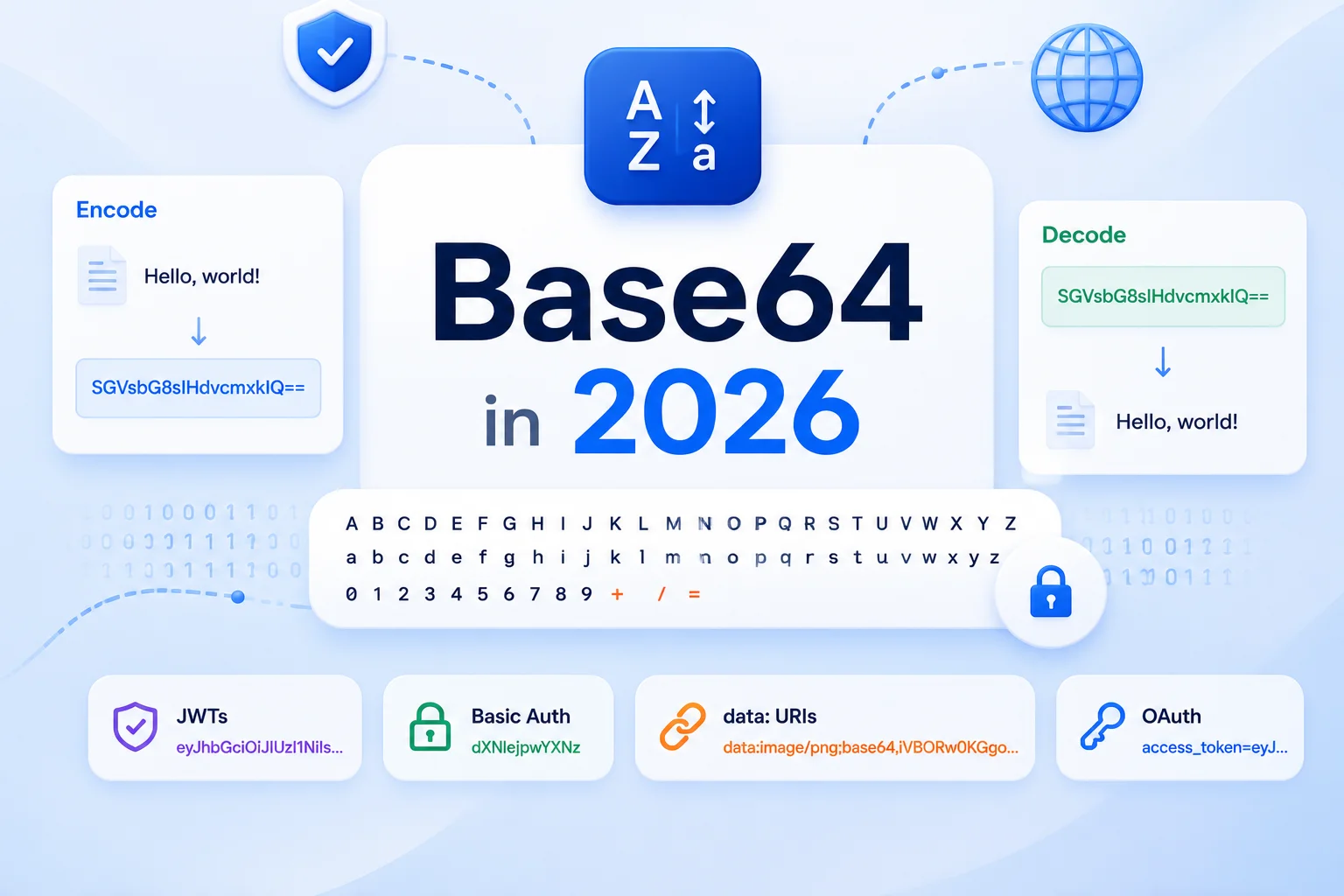
Base64 in 2026: Encoding, Decoding, and the Pitfalls That Still Catch People
Base64 is the format that won't go away — JWTs, OAuth, data: URIs, Basic Auth all still depend on it. The 2026-era APIs (Uint8Array.toBase64), URL-safe vs standard alphabet, and the UTF-8 traps that have shipped with btoa() for two decades.

Mohammed Banani
0
Claps
Base64 in 2026: Encoding, Decoding, and the Pitfalls That Still Catch People
Base64 is the format that won't go away. It is older than HTTP, older than the web, and 41 years on it is still embedded in JWTs, in OAuth flows, in data: URIs, in Authorization headers, in PEM-encoded keys, in S3 multipart uploads, and in roughly every API that needs to ship raw bytes through a system that only speaks text. If you write production code in 2026 you will encounter Base64 within your first week.
Most developers learn enough Base64 to copy-paste it. Few learn enough to avoid the bugs it ships with. This guide is the second cohort.
The short answer for 2026:
- For new browser code, use
Uint8Array.prototype.toBase64()andUint8Array.fromBase64()— they ship in every evergreen browser now and they handle URL-safe encoding, padding, and binary data correctly out of the box. - For Node, use
Buffer.from(input, 'base64')andbuf.toString('base64')(or'base64url'for URL-safe). - Stop using
btoa()andatob()for anything you don't understand byte-for-byte. They have been a footgun for two decades and they will trip you up the first time a non-ASCII character lands in your input.
Now the long version.
What Base64 Actually Is
Base64 is a binary-to-text encoding. It takes any sequence of bytes and rewrites it as a sequence of characters drawn from a 64-character alphabet, plus an optional = for padding. The alphabet is:
A-Z   (26 chars)
a-z   (26 chars)
0-9   (10 chars)
+ /   (2 chars)
=     (padding only — never carries data)
The encoder reads the input three bytes at a time (24 bits) and rewrites them as four 6-bit values. Each 6-bit value indexes into the alphabet — six bits represents 0..63, and the alphabet is exactly 64 characters. That's the whole trick.
The size cost: every three bytes of input become four bytes of output, a 33% inflation. A 1MB binary file becomes ~1.37MB of Base64 text. People underestimate this; it matters when you embed images as data: URIs in CSS, or when you stuff Base64 into JSON over a network call.
The padding: if your input length isn't a multiple of three bytes, the encoder pads the output with one or two = characters so the total output length stays a multiple of four. The padding carries no data — it exists so concatenated Base64 strings remain unambiguous.
The Two Alphabets You Actually See
There are several Base64 variants in the wild, but in 2026 you'll meet exactly two:
Standard Base64 (RFC 4648 §4) — uses + and /. Suitable for when the encoded text will live inside something that doesn't care about + or /, like a multipart MIME body, a generic HTTP body, a YAML scalar, or a SQL string column.
URL-safe Base64 (RFC 4648 §5) — replaces + with - and / with _. Suitable for when the encoded text needs to sit in a URL, a filename, or an HTTP header without further escaping. JWT tokens, OAuth state parameters, password-reset links, and most modern token-style identifiers use this variant.
Padding is optional in URL-safe Base64. JWTs strip the trailing = to keep tokens short; some libraries reject input that has padding when none was expected; some accept either. Whenever you decode URL-safe Base64, normalize first by adding back the padding so the length is divisible by four — this is a one-line operation:
function padBase64Url(s: string): string {
  return s + '='.repeat((4 - (s.length % 4)) % 4);
}
Browser APIs: The Old, The Bad, The New
For 20+ years, the only browser primitives for Base64 were btoa() (binary-to-ASCII) and atob() (ASCII-to-binary). They are global functions on window and they work — until they don't.
The footgun: btoa() accepts a string, but treats it as a sequence of single-byte (Latin-1) characters. If your input is a normal JavaScript string with any non-ASCII content — a Unicode character, an emoji, a CJK glyph — btoa throws:
btoa("héllo");
// Uncaught DOMException: Failed to execute 'btoa' on 'Window': The string to be encoded contains characters outside of the Latin1 range.
The traditional workaround was btoa(unescape(encodeURIComponent(str))), which is hideous, deprecated, and wrong for strings containing certain code points. Whole Stack Overflow answers were dedicated to it. Throw them out.
The 2026 way: TextEncoder to get bytes, then the new Uint8Array Base64 methods.
// String → URL-safe Base64
const bytes = new TextEncoder().encode("héllo 👋");
const b64 = bytes.toBase64({ alphabet: "base64url", omitPadding: true });
// "aMOpbGxvIPCfkYs"

// URL-safe Base64 → String
const decoded = new TextDecoder().decode(
  Uint8Array.fromBase64("aMOpbGxvIPCfkYs", { alphabet: "base64url" })
);
// "héllo 👋"
These methods landed in all major browsers in late 2024 / early 2025 and are part of the TC39 "Base64" proposal, now stage 4. They handle the alphabet, padding, and binary bytes correctly. There's no string-encoding ambiguity because they consume and emit Uint8Array, which is the actual byte type.
If you're targeting older runtimes that don't have Uint8Array.fromBase64, the js-base64 library (zero deps, 4kb gzipped) is the safe polyfill. Don't roll your own — too many edge cases.
Node: Use Buffer
Node has had Buffer Base64 support since the beginning. It's blunt but correct:
// Encode
const b64 = Buffer.from("héllo 👋", "utf8").toString("base64");
// or for URL-safe:
const b64url = Buffer.from("héllo 👋", "utf8").toString("base64url");

// Decode
const original = Buffer.from(b64, "base64").toString("utf8");
Buffer handles UTF-8 input correctly, and the 'base64url' output mode handles the URL-safe alphabet plus padding stripping in one call. There's no reason to do anything more complicated than this in Node.
When You Actually Need Base64
Base64 is a serialization layer, not a security layer. It is not encryption. It is not hashing. It does not obscure data; it makes data ASCII-safe. Anyone who has ever decoded Authorization: Basic dXNlcjpwYXNz knows this — dXNlcjpwYXNz is just user:pass.
Use Base64 when:
You need to embed binary data in a text-only protocol. Email bodies, JSON values, URLs, HTTP headers, environment variables, and YAML strings all have varying restrictions on which bytes are allowed. Base64 makes any sequence of bytes safe to drop in.
You need a reversible, deterministic, schema-free encoding. Base64 is not compressed, not encrypted, not transformed in any meaningful way — but it's predictable. Encode, decode, byte-for-byte equality. Useful for tokens, fingerprints, and stable identifiers.
You need an ASCII-safe key for a system that doesn't tolerate =, /, or +. Most filesystems, URL paths, and HTTP header tokens fall into this category. URL-safe Base64 (no padding) is the standard answer.
Avoid Base64 when:
- You can use a byte-aware format. If your message bus speaks Protocol Buffers, MessagePack, or CBOR end-to-end, don't Base64 your payloads — the inflation is wasted overhead.
- The payload is small and an integer would do. Encoding a 4-byte integer as Base64 produces an 8-byte string for no real benefit.
- You're tempted to use it as obfuscation. Don't. It is one Stack Overflow snippet away from being decoded by anyone.
Five Real-World Use Cases
1. JWT tokens
A JSON Web Token is three Base64URL-encoded strings joined by dots: header.payload.signature. The header and payload are Base64URL-encoded JSON; the signature is the Base64URL-encoded HMAC or RSA signature over the first two parts.
eyJhbGciOiJIUzI1NiJ9.eyJzdWIiOiIxMjM0Iiwi...redacted....AbCdEfThe padding is stripped. The signature is calculated over the Base64URL representation of the header and payload, so any normalization that re-encodes them will invalidate the signature. Treat JWTs as opaque byte strings; don't decode-and-re-encode them in the middle of your auth flow.
2. HTTP Basic Authentication
Authorization: Basic <base64(username:password)>. Standard alphabet, with padding. The colon is the separator; both username and password are UTF-8 byte sequences before encoding.
The point of the encoding here was never security — it was so usernames and passwords containing non-ASCII characters could survive HTTP/1.0's ASCII-only header constraints. Today, Basic Auth is fine for service-to-service calls inside a private network, but it's almost never the right answer for a public API. Use OAuth 2.1 or a bearer token instead.
3. data: URIs
Embedding images, fonts, or small binary assets directly into HTML or CSS:
.logo {
  background-image: url('data:image/svg+xml;base64,PHN2ZyB4bWxucz0i...');
}
The 33% size inflation is the price you pay for eliminating an HTTP round-trip. For small assets (logos, custom font glyphs, inline SVG icons), the trade is often worth it. For anything over ~10KB, just serve the file — the inflation eats most of the latency win.
A common alternative for SVG specifically: skip Base64 entirely and use percent-encoding (url('data:image/svg+xml,<svg ...>')). It compresses better and is 100% supported.
4. Binary fields in JSON
JSON has no binary type. When you need to send a 4KB profile photo or a 1KB hash digest in a JSON payload, Base64 is the standard answer:
{
  "user_id": 4221,
  "avatar": {
    "mime_type": "image/jpeg",
    "data": "/9j/4AAQSkZJRgABAQEASABIAAD..."
  }
}
Two patterns to avoid: encoding entire video files this way (use signed URLs to a CDN instead), and encoding hashes as Base64 when hex would be more readable (especially for debugging). For small, opaque payloads — keys, signatures, ciphertexts — Base64 is the right call.
5. PEM-encoded keys and certificates
The block between -----BEGIN PRIVATE KEY----- and -----END PRIVATE KEY----- in a PEM file is standard Base64 with hard line breaks every 64 characters. The header tells the parser which DER structure to expect. Most PEM parsers strip whitespace, decode the Base64, and hand the resulting bytes to a DER parser.
If you've ever pasted a PEM key into a config file and seen the whole app fail to start, the cause is almost always Windows-style \r\n line endings sneaking in, or trailing whitespace on the first or last line. Trim aggressively.
Common Bugs
Padding mismatch. Some libraries require the trailing =; others reject it; some accept either. If you control both ends, normalize: strip padding everywhere or include it everywhere. If you don't control both ends, normalize on input by re-adding padding to a length divisible by four. This is the single most common Base64 bug.
URL-safe vs standard alphabet confusion. A Base64 string with + in it will fail to decode in a URL-safe parser. A Base64URL string with - will fail in a standard parser. When you receive a Base64 string from somewhere, check the alphabet by looking at the characters: if you see - or _, it's URL-safe; if you see + or /, it's standard. If neither, you can't tell — ask.
UTF-8 round-trip via btoa / atob. As covered above. The fix is TextEncoder / TextDecoder plus Uint8Array Base64 methods, or a library, or Buffer in Node. Never unescape(encodeURIComponent(...)).
Whitespace in the input. Base64 spec allows decoders to accept whitespace (RFC 4648 says implementations should reject it, but many don't). When you copy-paste a Base64 string out of a JSON pretty-printer, you may get embedded line breaks. Strip whitespace before decoding when you can't trust the source.
Sign-extension on platforms with signed bytes. Less common than it used to be (modern languages handle this correctly), but still a trap in older C / C++ / Java code. If your decoder is producing garbage for high-bit bytes, this is the suspect.
Performance Considerations
For most applications, Base64 performance doesn't matter — encoding 1KB takes microseconds. But two scenarios deserve attention:
Large payloads in the browser. Encoding a 10MB image as Base64 to embed in a data: URI is ~13MB of string allocation and copying. On low-end mobile, this can stutter the UI thread for hundreds of milliseconds. Move to a Web Worker, or stream the encoding, or — better — don't encode 10MB images as Base64.
Hot paths in servers. A server that decodes a JWT on every request is doing Base64 decoding millions of times an hour. Most JWT libraries use optimized native paths (Buffer in Node, the new Uint8Array.fromBase64 method in Deno / Bun), but if you wrote your own decoder in pure JS for some reason, you're leaving 10-100x performance on the table. Switch to a library or to the platform primitive.
Memory in long-lived processes. Base64 strings, like all JS strings, are immutable. Decoding into a Uint8Array is a fresh allocation every time. If you process a stream of Base64-encoded messages, reuse Uint8Array buffers via BYOB reads or the streaming Base64 decoder rather than allocating fresh on every message.
A 2026-Style Encode/Decode Helper
Here's the helper most modern apps end up writing — it handles UTF-8 strings, picks the right alphabet, and works in browser and Node:
function encodeBase64(input: string | Uint8Array, opts: { url?: boolean; pad?: boolean } = {}): string {
  const bytes = typeof input === "string" ? new TextEncoder().encode(input) : input;
  return bytes.toBase64({
    alphabet: opts.url ? "base64url" : "base64",
    omitPadding: opts.url && opts.pad === false,
  });
}

function decodeBase64ToString(input: string, opts: { url?: boolean } = {}): string {
  const bytes = Uint8Array.fromBase64(input, {
    alphabet: opts.url ? "base64url" : "base64",
  });
  return new TextDecoder().decode(bytes);
}
For Node 22+, the Buffer flavor is equivalent and slightly more concise:
function encodeBase64(input: string | Uint8Array, opts: { url?: boolean } = {}): string {
  return Buffer.from(input).toString(opts.url ? "base64url" : "base64");
}

function decodeBase64ToString(input: string, opts: { url?: boolean } = {}): string {
  return Buffer.from(input, opts.url ? "base64url" : "base64").toString("utf8");
}
Use one of these as your module's standard pattern. Stop reaching for btoa.
Quick Reference
| Need | Use |
|---|---|
| Encode a string to standard Base64 (browser) | new TextEncoder().encode(s).toBase64() |
| Encode a string to URL-safe Base64 (browser) | new TextEncoder().encode(s).toBase64({ alphabet: "base64url", omitPadding: true }) |
| Decode standard Base64 to a string (browser) | new TextDecoder().decode(Uint8Array.fromBase64(b64)) |
| Decode URL-safe Base64 to a string (browser) | new TextDecoder().decode(Uint8Array.fromBase64(b64, { alphabet: "base64url" })) |
| Same operations in Node | Buffer.from(s).toString('base64' | 'base64url') and the inverse |
| Parse a JWT | Split on ., Base64URL-decode each part, JSON-parse the first two |
| Decode HTTP Basic auth | Standard Base64, then split on the first : |
| Embed a small SVG | Use percent-encoding, not Base64 |
| Embed a small PNG | Base64, but only if the file is < 10KB |
Closing Recommendation
Pick the platform primitive (Uint8Array.toBase64 in browsers, Buffer in Node) and standardize on it across your codebase. Don't roll your own decoder, don't keep btoa(unescape(...)) around "because it works," and pay attention to the alphabet whenever a Base64 string crosses a system boundary. Most Base64 bugs in production come from one of three places: padding, alphabet mismatch, or UTF-8 mishandling. All three are avoided by using the right primitive once.
If you just need to encode or decode something quickly without writing code, the Base64 encoder/decoder on this site does exactly that — paste in a string or a file, pick the alphabet, copy the result. The same operation is available via the CLI (consolelog base64) for shell pipelines.